August 19, 2026
Document Intelligence for Akumina AI
Configuring Azure AI Document Intelligence, directly and through Azure API Management


Streamline the creation and deployment of an Akumina Flow Survey. If you also want to display reports for a survey, add an instance of the AkuminaFlowReportWidget.
If you need the full feature set of Akumina Flow, create your survey in Akumina App Manager’s Akumina Flow Designer Management App and then add an AkuminaFlowUserWidget (https://www.akumina.com/community/akuminaflowuserwidget) to the desired page.
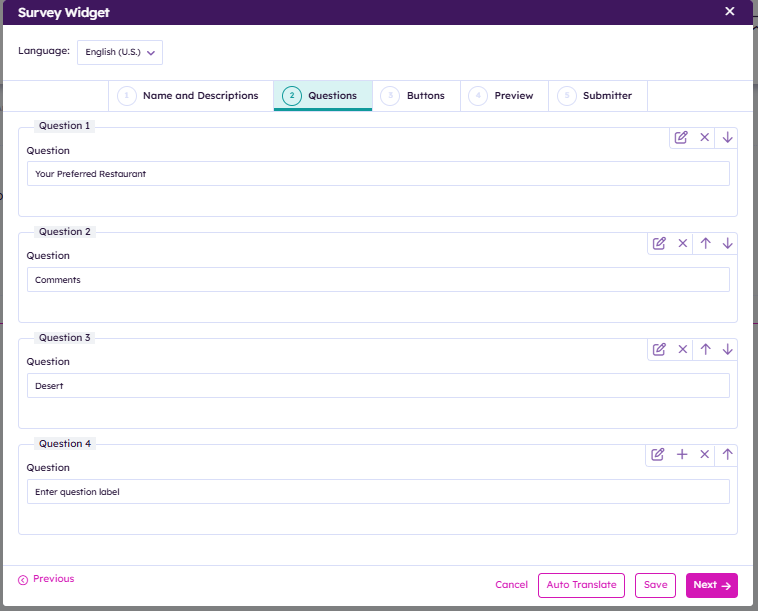
Build a multilingual Flow Survey on the intranet page.
N/A
| Akumina Flow Process Id |
the ID of the survey |
| Start Date | optionally provide a date and time for when the survey should start being displayed. When changing directly on the generic widget property panel (vs the custom Edit UI), provide date/time in UTC (e.g. 2026-12-30T23:59:00Z) |
| End Date | optionally provide a date and time for when the survey should stop being displayed. When changing directly on the generic widget property panel (vs the custom Edit UI), provide date/time in UTC (e.g. 2026-12-30T23:59:00Z) |
| Widget Height | either CARD or FULL. CARD size is typically half the height of FULL. |
View Name: default.html: this is the view used when an employee is submitting the survey.
View Preview:
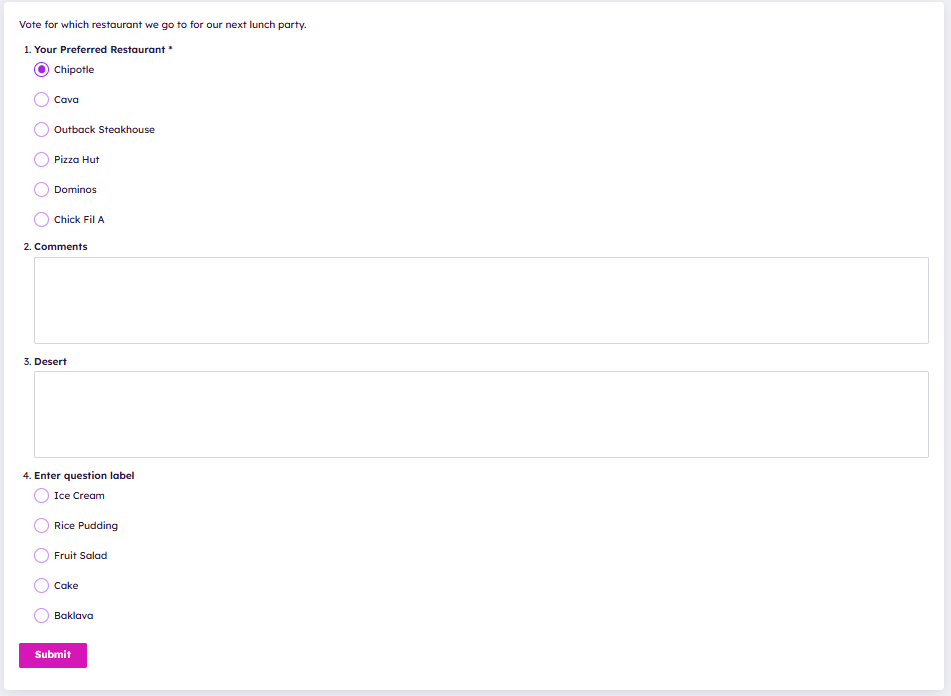
View Name:
editmode.html: this is the view used in configuring the survey widget.
View Preview: